


AfterShip vs Shippo: pricing, key features and differences

Your order volume just doubled. Printing labels used to take ten minutes a day, but now it takes up your whole morning. Every time a carrier runs late, your support inbox fills up with “where’s my package?” emails.
So you start looking for software, and two names keep showing up: AfterShip and Shippo. Both print labels, and both offer tracking pages. Both also have Shopify apps.
At first glance, they look almost the same. Open their pricing pages, though, and you’ll see two very different ways of packaging the product. That difference also extends to how these tools work.
In this guide, we’ll walk through the AfterShip vs Shippo differences in features and costs, and what else you could consider that better fits your needs.
What is AfterShip?
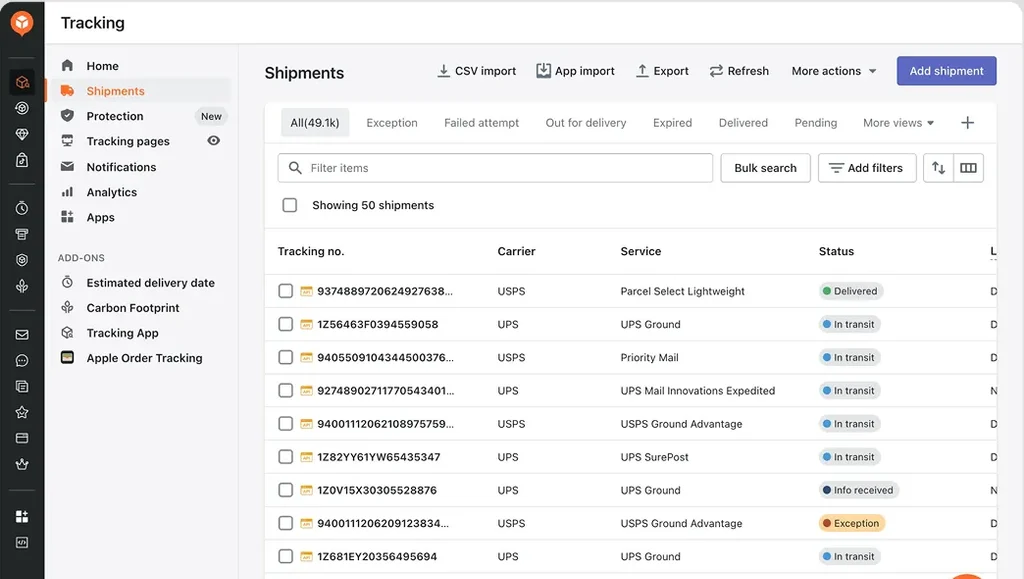
AfterShip is a set of separate apps for shipping and post-purchase work. You pay for each one on its own.
Here’s how the pieces fit together:
- The shipping app pulls in your orders and lets you get labels from several carriers.
- Branded tracking pages, plus delivery emails and SMS notifications that are sent out from the tracking app.
- The returns app lets customers request a return and choose an exchange or refund if they qualify.
The advantage of this setup is flexibility. Say your warehouse already prints labels through another system. You can add AfterShip’s tracking app on its own and skip the rest.
The catch is that each app has its own plans and total cost. Paying for tracking doesn’t get you returns. Before buying, check which paid tier covers the features you need.
See also: AfterShip alternatives.
What is Shippo?
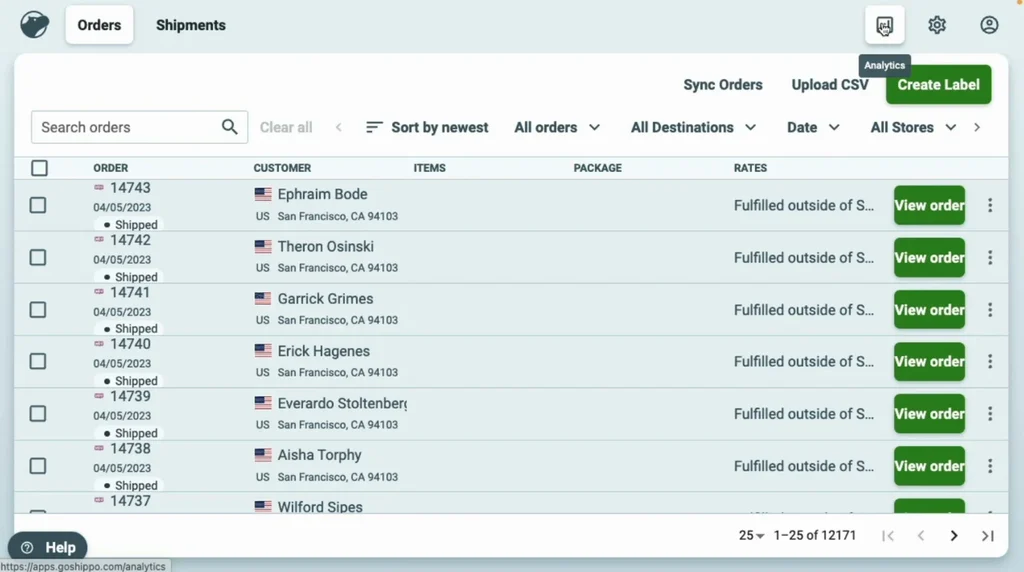
Shippo is shipping software you can use through a web app or an API. It connects orders from your stores into one platform, shows you discounted rates from multiple carriers, and lets you print labels in bulk.
For a small team, the web app is an easy place to start. Your staff can check addresses and fill in customs forms on the same screen as label creation. Return labels and shipment tracking are included; you can pay extra for branded pages and notification emails.
Bigger businesses can plug Shippo into their own systems through the API. So it isn’t only a small-business tool. That said, Shippo is built around what happens before a parcel ships. Tracking pages and return labels are there, but they’re fairly basic. If you want detailed delivery alerts or a full self-service returns process, you’ll likely need a second tool.
AfterShip vs Shippo: key differences
We compared the two by lining up the products you’d use for similar cases for the fairest side-by-side.
Shipping labels and carrier rates
Both Shippo and AfterShip’s shipping app let you import orders and create labels. With Shippo, you can use the discounted carrier rates or connect carrier accounts you already have. AfterShip lets you compare rates too, and you can set rules that pick a shipping service automatically, e.g., choosing a service based on parcel weight or destination.
Both handle customs paperwork for international orders. Test the countries you ship from, not just the ones you ship to. A carrier appearing in a directory doesn’t mean every service is available on your account.
Be careful with carrier counts, too. The number of carriers a tool can track is different from the number you can buy labels from. And neither total tells you which tool will save you more on postage.
Here’s how we’d check what’s better for you. Pull 20 or 30 orders from last month, including a few oversized parcels and international shipments. Compare prices in both tools using the same dimensions and service levels.
Tracking and customer notifications
Shippo lets you track shipments and send notification emails. You can add your branding to tracking pages and emails (on the Pro plan). If most of your orders ship as a single parcel, that may be all you need.
AfterShip’s tracking app goes further on communication. You can set up email and text alerts tied to specific delivery events, like “out for delivery.” The Premium plan lets you use your own tracking domain, with API and webhook access, plus AI-predicted delivery dates you can use for proactive notifications.
But split orders are where things get tricky. Say a customer buys a jacket and a pair of boots, and they ship from two warehouses. Shippo tracks each shipment on its own, so the customer follows two separate parcels. AfterShip helps on eligible plans by bundling the updates into one digest email.
Regarding delivery estimates, Shippo gives them mainly as a tool for your team. Staff see them while choosing a carrier. If you want shoppers to see them on product pages or at checkout, you’ll need Shippo’s delivery-estimate API, which costs extra. AfterShip shows predicted dates to customers on the tracking app’s Premium plan.
Returns and exchanges
Shippo can generate return labels.
A self-service returns process needs more than a label, though. You need rules about what can be returned and when. You also need a way to handle exchanges and refunds without opening a support ticket for every request.
AfterShip’s returns app handles this through a branded portal where you can set eligibility rules and offer refunds, exchanges or store credit. More advanced workflows and fraud prevention are locked behind the Premium plan.
Integrations, APIs and automation
Both tools connect to the most popular sales channels and import orders. But a standard store integration and custom API work are two separate things, and they’re priced differently.
Shippo charges separately for its app and its API. Some API services require extra usage fees.
With AfterShip, check API access product by product. Tracking API access and webhooks are included in Premium. Shipping APIs and more advanced shipping automation are in the Shipping app’s Pro plan, similar with Returns.
Analytics and operational visibility
Shippo’s web app shows your shipping activity and costs. Shippo has an analytics tool for deeper reports, but only for businesses on API Pro and Premier plans. It lets you compare what you were quoted for shipping with what carriers actually billed you. It also shows how each carrier performs, including transit times and where delays happen.
AfterShip shows you delivery exceptions in the Tracking app and return reasons in the Returns app. The starter plans show dashboards for shipment volume, on-time delivery, and delivery problems; for returns, they show return rate, top return reasons, most-returned products, how much revenue exchanges and store credit kept, and what you spent on return labels. Higher tiers give you advanced filters and additional insights.
AfterShip vs Shippo pricing comparison
For the purpose of this article, we compared starting prices. Each plan (except for the free tier) can be extended with more shipments, which adds costs. Shippo Premier and API plans, as well as AfterShip Enterprise plans, have custom pricing, so they were not included.
| Product and plan | Monthly fee | Monthly plan allowance | Annual billing |
|---|---|---|---|
| Shippo Free plan | – | 30 shipments | – |
| Shippo Pro | $19 | 200 labels | $205 |
| AfterShip Shipping Essentials | $11 | 100 labels | $108 |
| AfterShip Shipping Pro | $89 | 2,000 labels | $828 |
| AfterShip Tracking Essentials | $11 | 100 tracked shipments | $108 |
| AfterShip Tracking Premium | $70 | 500 tracked shipments | $708 |
| AfterShip Returns Essentials | $19 | 20 returns | $192 |
| AfterShip Returns Premium | $119 | 100 returns | $1,188 |
AfterShip or Shippo: which should you choose?
Pick Shippo if shipping is your main bottleneck. Say your team spends hours each day buying labels, checking addresses and filling in customs forms. Shippo puts all of that on one screen and shows rates from several carriers side by side. It fits best when basic tracking emails are enough for your customers and your team already handles returns by hand. Just note the return labels themselves don’t replace a returns portal.
Pick AfterShip if your problems start after the parcel ships. Maybe your inbox fills with “where’s my order?” emails, or your team keeps having to approve returns one by one. AfterShip’s solutions can help. The tracking app sends email and text updates at each delivery stage. The returns app gives customers a branded page to request refunds, exchanges or store credit, and you can set rules that approve returns automatically when they meet your policy.
You can also combine the two: Shippo for labels, AfterShip for tracking and returns.
When your orders get more complicated
Let’s go back to that jacket-and-boots order and make it a little messier.
Say the boots arrive on time, but the jacket is two days late, and nobody warned the customer this would happen. On top of that, the boots are too small, so the client wants to return them. It’s their sixth return this year.
To answer this one customer, your support agent has to check the carrier’s website, your order system and your returns app.
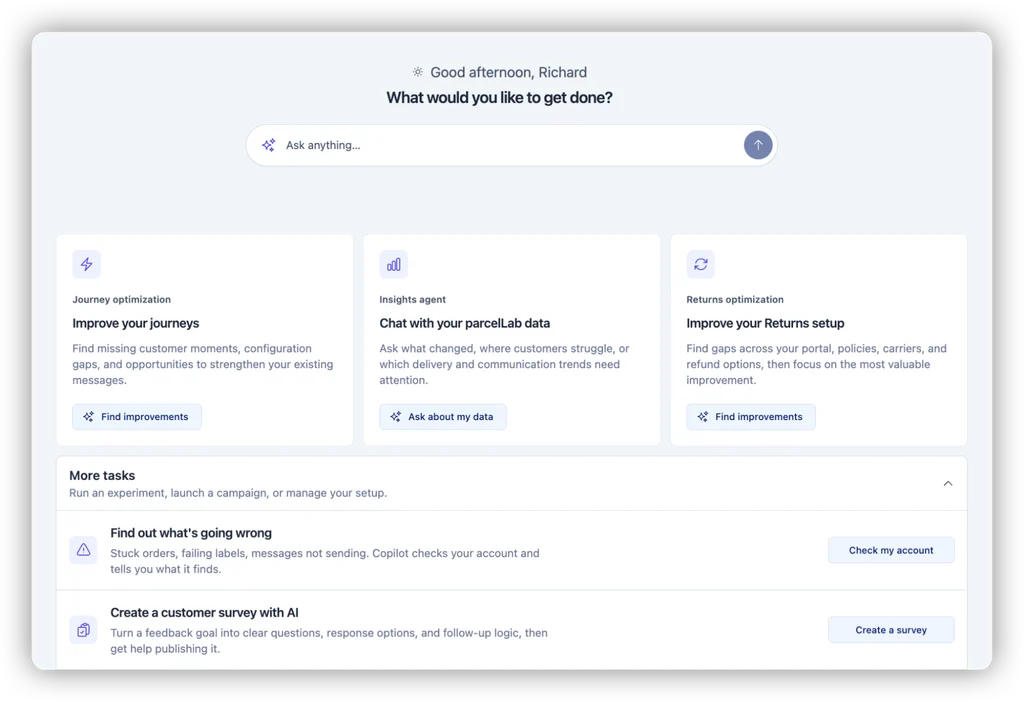
parcelLab makes this much easier with a post-purchase platform that keeps order data, carrier updates and returns in one system. Here’s how it handles each part of this order.
Customers see their whole order in one place
parcelLab’s tracking page sits on your own website domain, so customers never get sent off to a carrier’s site. The page shows every parcel tied to the order, down to which items are in which box.
In our example from above, the customer clearly sees that the boots have arrived and the jacket is still on its way, with an updated delivery date. You can also change what the page displays based on shipment status. A delayed parcel can show an apology and a new estimate, while a delivered one points the customer to your returns page.
Delivery promises get checked, not just shown
parcelLab can show predicted delivery dates on your product pages and at checkout, before the customer buys. An AI model works out those dates from your warehouse and distribution setup, holidays, operating hours and even weather.
After the parcel ships, parcelLab keeps track of shipments that are likely to miss that date. It flags them while they’re still in transit. That means your team can send a heads-up before the customer notices anything is wrong.
The promised date also shows up in reporting, so you can see how often schedules are met vs. missed.
Return rules adapt to the customer and the item
Customers can request returns through a branded, self-service returns portal on your site. You decide what each person is offered: a refund, an exchange for another size, store credit, or the option to keep the item for a partial refund, helping you keep revenue from returns.
The portal can also take risk into account. parcelLab gives each customer a risk level based on their order, return history and fraud risk. You can then use that assessment as a condition in any return rule.
Here’s one way you might set it up:
- Low-risk customers get a 60-day return window and an instant refund.
- For medium-risk customers, the window drops to 30 days, and refunds follow your standard process.
- High-risk requests get 14 days, store credit only, and a manual review before approval.
Your loyal customers never get penalized. Your team only needs to step in on more complex issues. And your return policy stays consistent, because the same rules apply every time.
Support and operations work from the same data
parcelLab’s reporting puts delivery performance, customer messages and returns data side by side. You can easily see the connection between a slow carrier and a spike in support tickets, or spot which products come back most often and why.
There’s also a built-in AI assistant. Team members with reporting access can ask plain-language questions like “Which carrier caused the most delays this month?” and get an answer from your account’s data. Support agents can enter an order number and get a status summary with suggested next steps.
If you want a closer look, read our parcelLab vs AfterShip comparison.
AfterShip vs Shippo vs parcelLab: side-by-side
| If you need to… | Shippo | AfterShip | parcelLab |
|---|---|---|---|
| Buy outbound shipping labels | Main use case | Through the Shipping app | Not the main use case |
| Compare carrier rates | Included | Through the Shipping app | Not the main use case |
| Offer branded tracking | On paid plans | Through the tracking app; custom domain on Premium | Tracking page on your own domain |
| Explain split deliveries | Tracks each shipment separately | Digest notifications on eligible plans | One order view showing every parcel and item |
| Show delivery dates before purchase | Separate, paid delivery-estimate API | AI-predicted dates on Premium | Predicted dates at checkout, with in-transit delay alerts and tracking of promises kept |
| Run self-service returns and exchanges | Needs extra returns software | Through the returns app | Through the self-service returns portal |
| Set return rules based on risk | Needs extra returns software | Fraud prevention on eligible plans | Customer risk levels usable in any return rule |
| Work across markets | Check origin and carrier support | Localized tracking and returns setup | Easy international shipping with multi-language messaging and return rules set by market |
| Report on performance | Shipping costs and activity; deeper analytics for API customers | Separate reports for separate apps | Delivery, messaging, carrier and returns data in one place |
Choose the platform that fits your needs
Shippo handles everything before a parcel leaves your warehouse: rates, labels and customs forms. AfterShip covers what happens after, with separate paid apps for tracking, shipping and returns.
If your orders are simple, pick the tool that matches where your team spends the most time.
The problems more difficult to solve are in between those steps: a parcel that misses the date promised at checkout without any warning to the customer, two parcels from one order tracked separately, and the same return terms for every customer. Fixing them takes order data, carrier updates and return rules that work from the same records.
To see how parcelLab connects those steps and improves the post-purchase experience for both you and your clients, book a demo.
FAQs
Both connect to Shopify. Shippo offers tools for buying shipping labels and comparing carrier prices. AfterShip includes separate apps for delivery updates and self-service returns. parcelLab also connects to Shopify, and its returns portal can refund customers with Shopify gift cards and handle returns of items bought as gifts.
Yes. You can buy labels in Shippo and send the tracking numbers to AfterShip for customer updates. Pick one tool to send delivery emails, or customers will get every update twice. parcelLab works the same way: it doesn’t print labels, though, so you can keep Shippo for that.
It depends on your specific needs. For label printing alone, ShipStation and Easyship are the closest substitutes for Shippo. For tracking and returns, AfterShip competes with Narvar, Loop Returns and parcelLab. For problems after dispatch, like AI-powered delivery estimates, split orders, late deliveries, multi-warehouse routing and repeat returns, parcelLab can be the better choice. It shows users every parcel in an order, warns them before a parcel runs late, effectively reducing customer anxiety, and sets return terms based on each client’s history, with shipping analytics for your team to review.
For buying shipping labels and comparing carrier prices, the closest competitors are ShipStation, Easyship and AfterShip’s Shipping app. parcelLab can take over once the parcel ships, with key features for improving the customer experience, like delivery updates, predicted delivery dates and self-service returns.
Liked this Post? View more related posts below


